Microsoft Fabric - Designing a developer lifecycle (CI/CD)
I led product design across Microsoft Fabric’s CI/CD experiences,
helping professional developers work with greater clarity and control.
My Role
Senior Product Designer
Scope
Git integration, Deployment pipelines, Variable Library, Deployment Plan
Contribution
Product strategy, research, interaction design, prototyping and vibe-coding
Collaboration
PM, engineering, research, content, accessibility, design system
How I worked
Working prototypes, direct customer feedback.
Across the work, I personally ran customer sessions and collaborated closely with product, engineering, research, content, accessibility, other design teams, and the Fabric design system team.
Vibe Coding made it possible to test richer interaction behavior earlier and shorten the loop between a design hypothesis and evidence from users.

01 / Git integration
Making Fabric feel native to a Git mental model.
Git integration in Fabric allows developers to seamlessly incorporate their development processes, tools, and best practices directly within the Fabric platform. My work focused on making that relationship clear, predictable, and useful for professional developers.
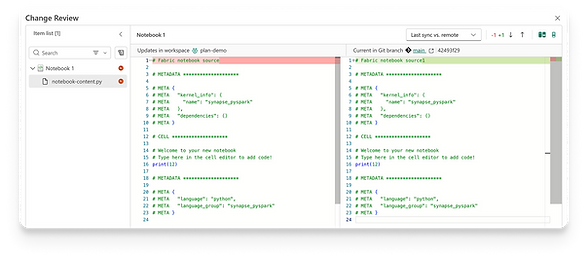
Granular compare
Developers needed the ability to understand exactly what changed between the workspace and Git. The experience was tested repeatedly for orientation, comprehension, usefulness, and whether developers had enough information to make a confident versioning decision.
Branch workspaces
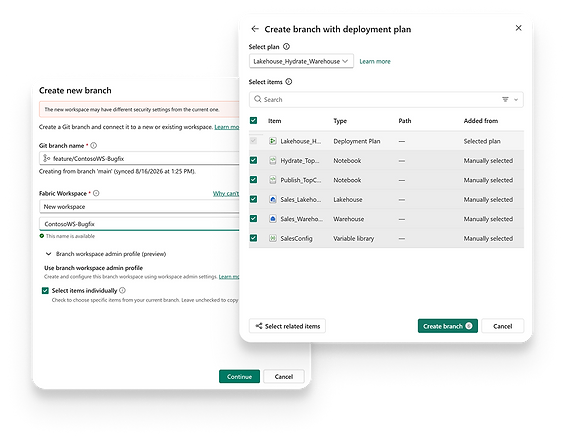
A Git branch can be created almost instantly. Reproducing a large Fabric workspace can be much heavier. Selective branching lets developers start with only the items relevant to their task and the dependencies they need, then add more later.
The most chalanging UX problem was explaining why both a Git branch and a Fabric workspace exist, while keeping the experience aligned with the branching model developers already know.
Source control
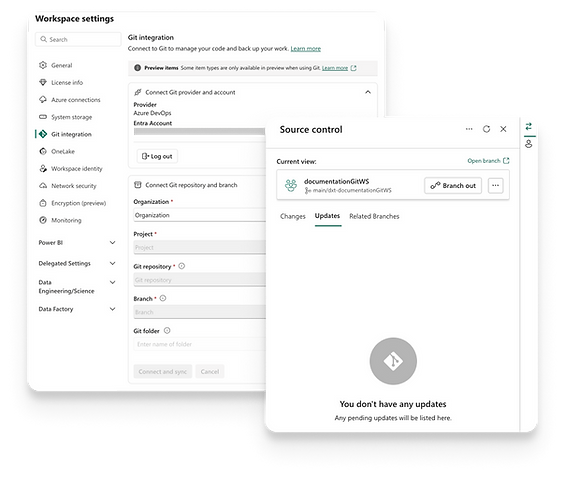
The Source control experience had to make the relationship between workspace and repository understandable at a glance: what changed, what needs updating, which branch is connected, and what actions are available next.
Using Vibe Coding with the Fabric design system, I created and tested multiple versions of the experience, refining hierarchy, terminology, status representation, and interaction patterns around the expectations of professional Git users.
02 / Deployment tools
Deployment pipelines
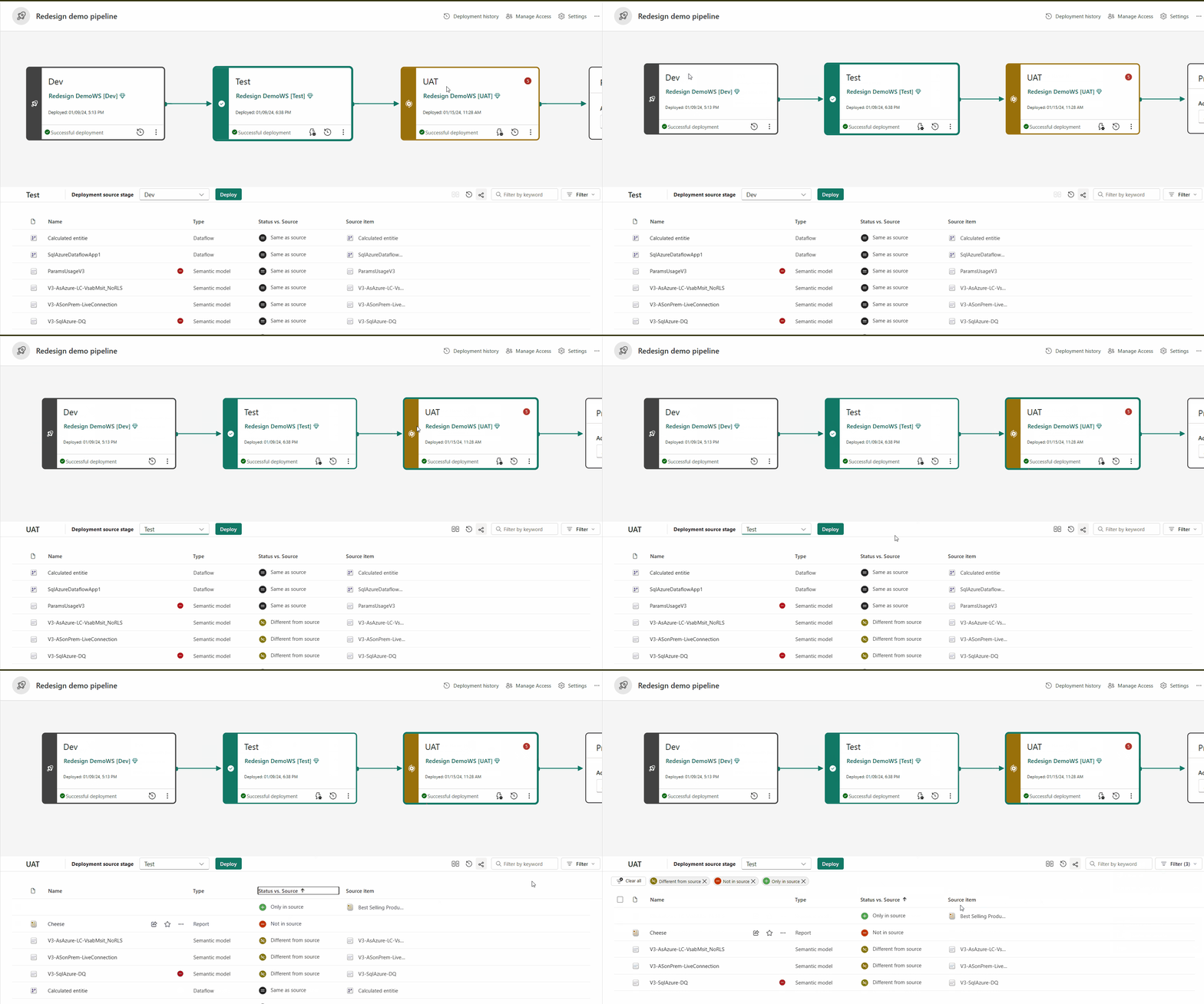
Fabric's deployment pipelines tool offers content creators a production environment for collaboration in managing the lifecycle of organizational content. These pipelines allow creators to develop and test content within the service before it is delivered users.
Comparing deployment environments
I worked on the redesign of Deployment Pipelines as Fabric evolved, using telemetry, product behavior, and customer feedback to improve how developers understand stages, compare environments, select changes, and deploy content between workspaces.
Deployment Plan
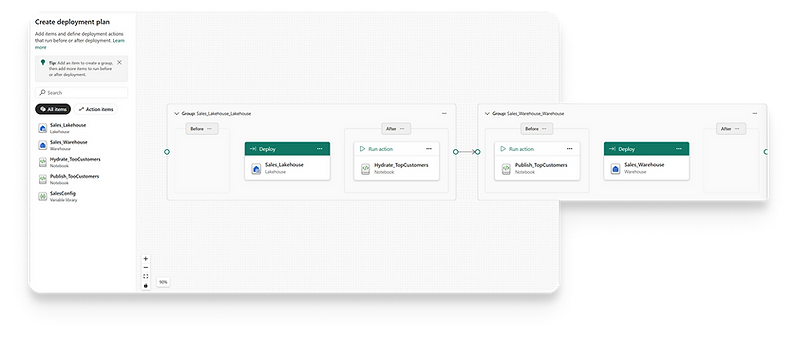
When items have dependencies or need to run in a specific sequence, deployment order becomes part of the product experience. Deployment Plan gives developers a way to define groups, dependencies, and actions around the deployment flow.
The project was developed through rapid Vibe Coding prototypes and direct user testing, allowing ideas to be evaluated in working interactions and changed through short iteration cycles.
03 / Variable Library
Configuration as part of the release model.
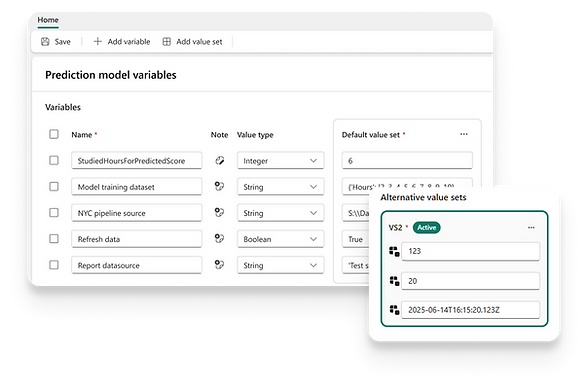
A variable library in Fabric serves as a collection of variables that other elements in the workspace can utilize for application lifecycle management (ALM). It offers a cohesive strategy for effectively managing item configurations within a workspace, promoting scalability and consistency throughout the various stages of the lifecycle.
Variable Library
The design explored how developers create and consume variables, whether they prefer UI or code, how they understand active values, and how configuration is handed between teams working across different environments.
The experience was validated repeatedly with customers and developed in close collaboration with engineering and accessibility throughout implementation.